2011-02-24
View some example uses of File Gallery
If you use File Gallery on your own site in a ‘unique’ way, please send me a link via e-mail. When I collect a few interesting links, I’ll create a ‘Showcase sub-page’ with those links.
2010-09-12
Please use the official WordPress.org forums to submit bugs or feature requests from now on! Thank you :)
File Gallery support forums on WordPress.org
2010-04-29
“File Gallery” is now available for download from the WordPress Plugin Repository
This is what I was working on for my bachelor’s degree – a WordPress plugin which extends the default [ gallery ] shortcode behavior.
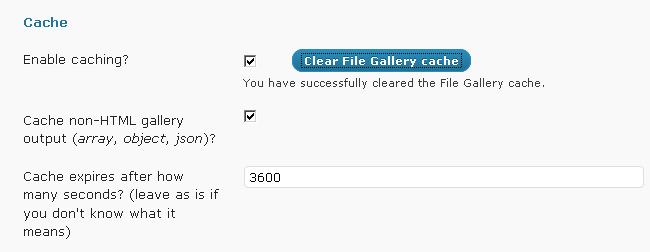
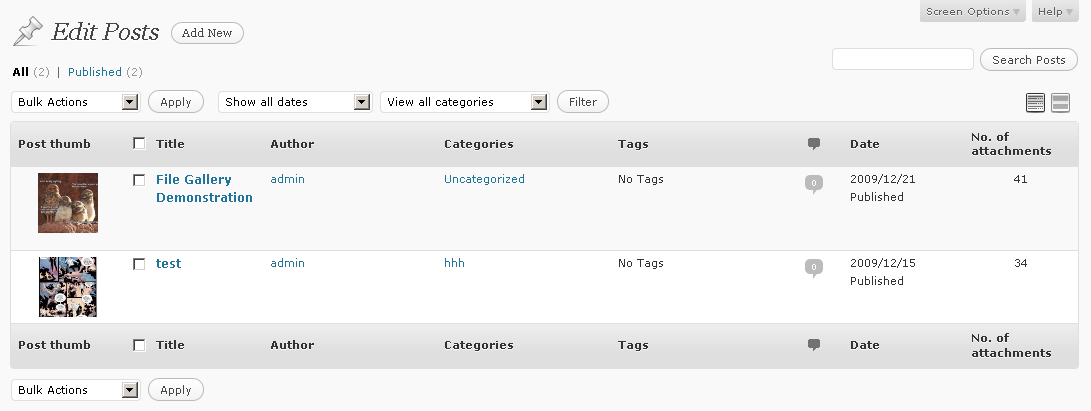
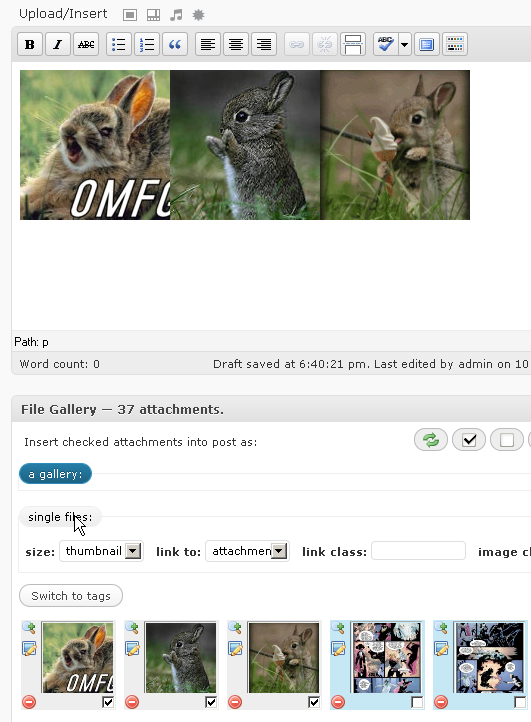
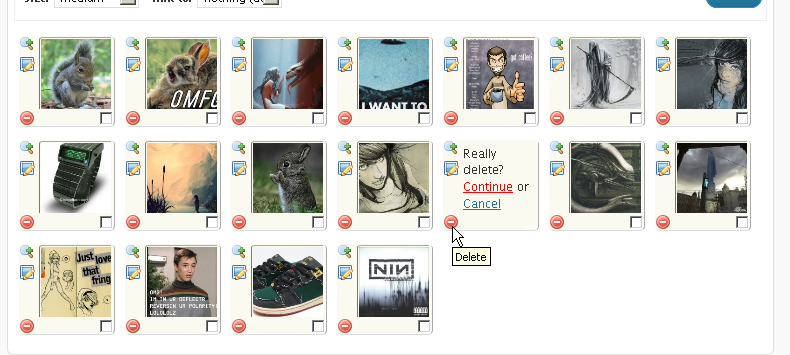
Some screenshots (using the included “simple” template, falls back to default WordPress gallery look without JavaScript):
-
-300x236;#;#;png

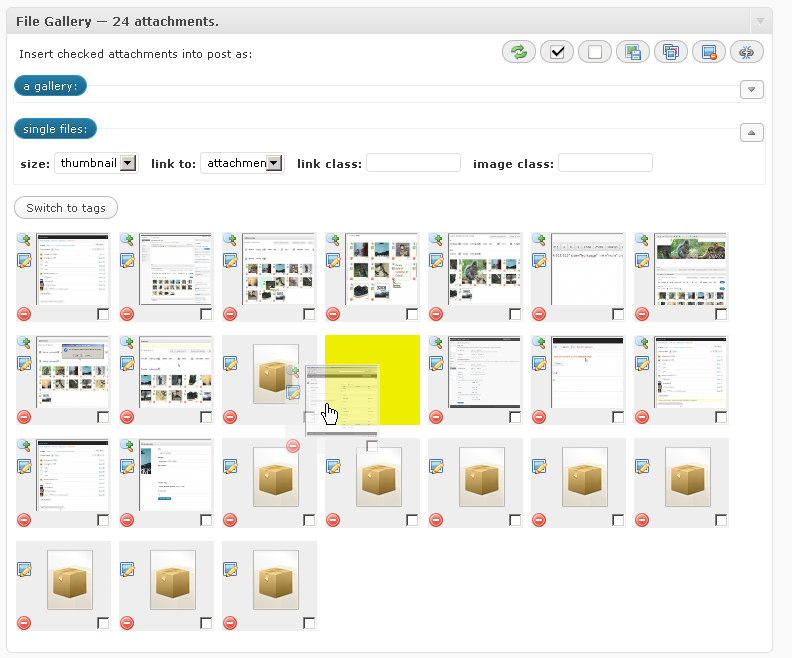
- File Gallery interface on post editing screen
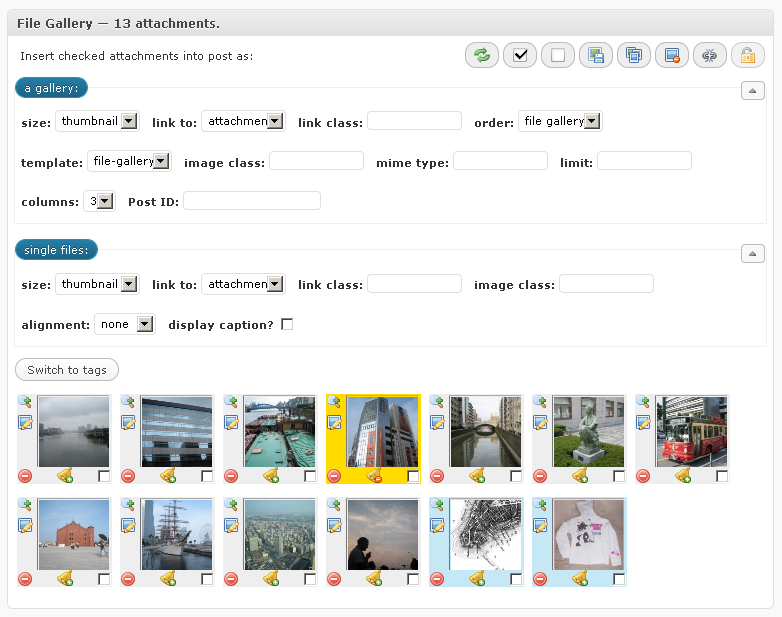
-
-300x266;#;#;png
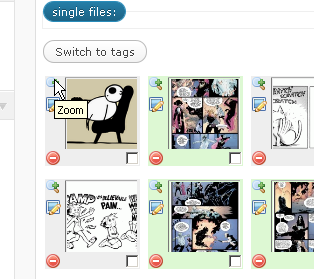
-
-300x243;#;#;png
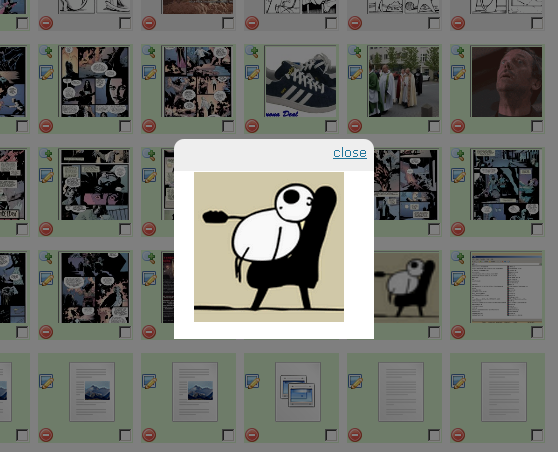
-
-300x204;#;#;png
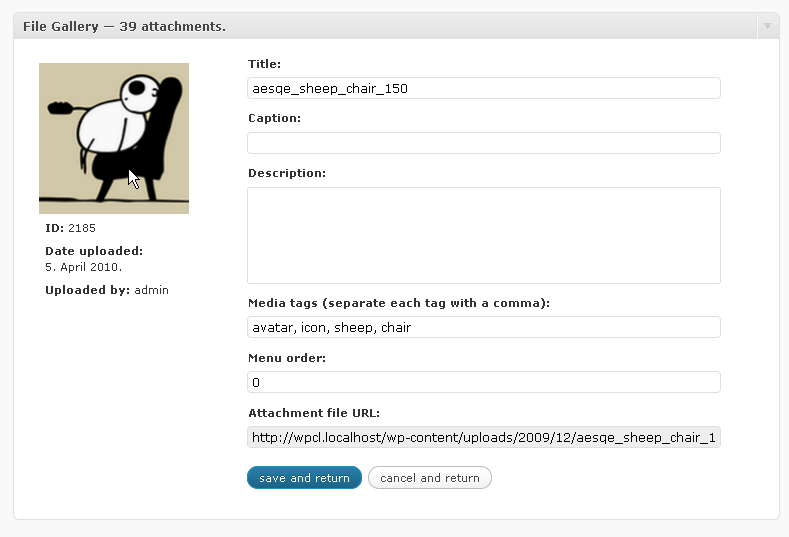
-
-300x249;#;#;png
-
-300x140;#;#;png
-
-300x80;#;#;png
-
;#;#;png

-
-300x154;#;#;png
-
-300x95;#;#;png
-
-261x300;#;#;png
-
-268x300;#;#;png
-
-300x116;#;#;png
-
-194x300;#;#;png

-
-300x113;#;#;png
-
-220x300;#;#;png
-
-300x134;#;#;png
-
-300x105;#;#;png
-
-300x202;#;#;png
-
-300x295;#;#;png
-
-300x158;#;#;png
Please take a look at the help file for more features, screenshots and explanations.
Some of the features are:
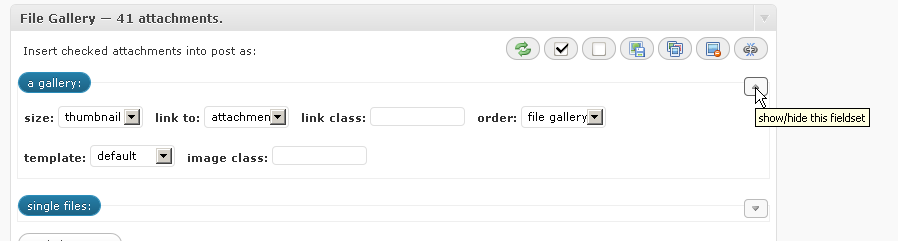
- multiple galleries per post with custom attachment order
- a flexible templating system (PHP, CSS, JS) – choose a different template for each gallery, even within the same post (4 templates included with plugin)
- simple, easy to use UI with drag and drop sorting shows attachment thumbnails beneath text editor: everything attachments-related is on the same screen you’re editing your post on
- settings page extends the default media settings page
- attach copies of items from media library to current post (copies data only, not the file)
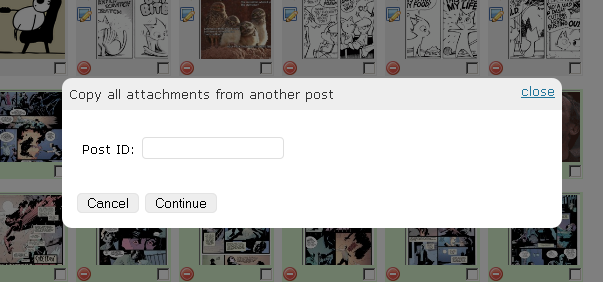
- copy all attachments from another post
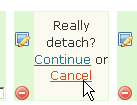
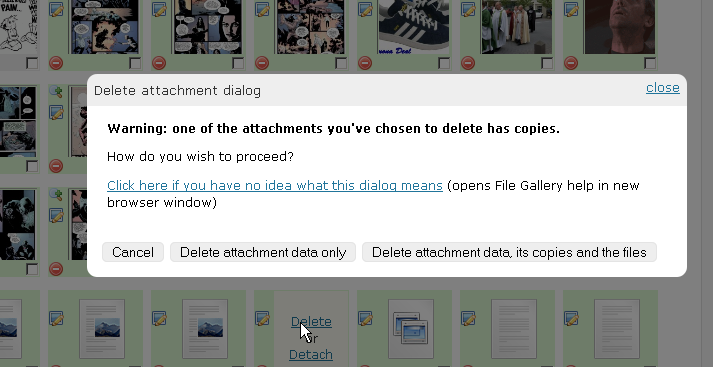
- unattach (detach) items from current post
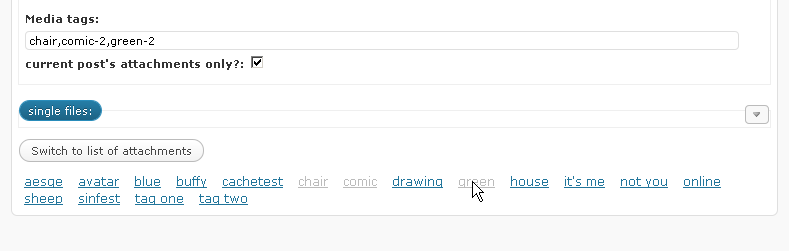
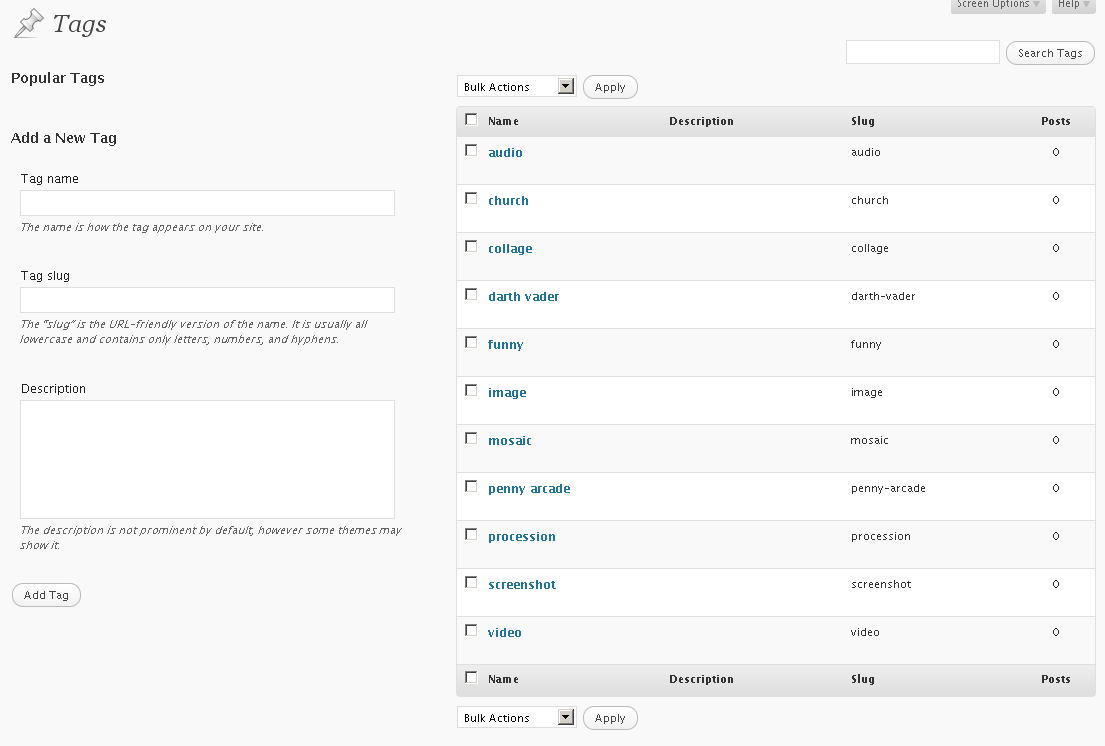
- media tags – tag your attachments and then use those tags to choose which attachments you want to display in your gallery or to filter your media library items
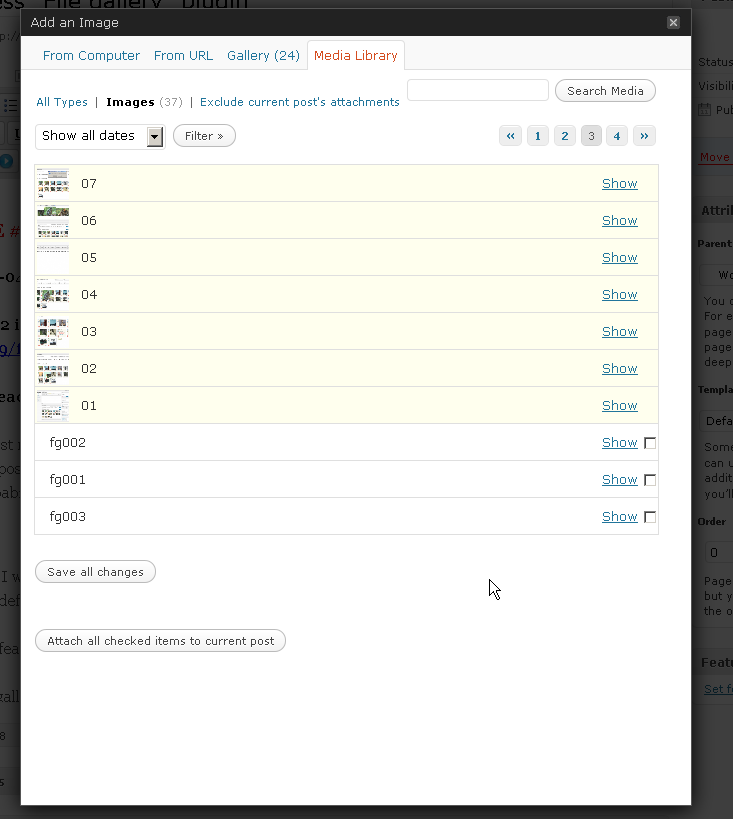
- different background colors for items in media library depending on their status – completely unattached (white), attached to other posts (red), or attached to current post (yellow)
- compatible with “WPML”, “WordPress Mobile Edition” and “Media Tags” plugins
- basic caching of gallery output and frequent queries (transients)
- see the help file for complete list of features
If you have any questions or suggestions, please leave a comment on this page or in forums on WordPress.org.
Thanks in advance :)
A (too long, boring, pretty old, and *gasp* unedited) video demonstration:
http://www.youtube.com/watch?v=2TJbx_cCc2k
The plugin will be released into the official repository within a month, I hope :)
If you would like to see some other functionality included, please leave a comment here.
Thanks!
I would be nice if in the media library you coud sort, or filter by the media tags
@sunny:
sure thing, that is a feature I plan to work on next week :)
How can I download this plugin?
@Allan:
The plugin will be available for download in a couple of weeks, I still have some bugs to take care of.
In the meantime, if someone wants to beta test the plugin, please send me an e-mail at aesqe *at* skyphe *dot* org. I will e-mail you the plugin in its current state with some basic instructions on how to use it.
It requires WordPress 2.7 or higher, but works best with 2.8 :)
Thanks for the interest!
The video demonstration doesn’t seem to be loading? still managed to watch it at http://www.youtube.com/watch?v=2TJbx_cCc2k – great work!
Thanks, Sam, I guess “Viper’s video quicktags” didn’t reactivate after upgrade :)
So has this been release yet?? Emailing you nonetheless ..
Oh and it would also be nice to see these features added:
– unattaching attachments from posts
– re-attaching attachments to different posts
– attach to multiple different posts (so I can us the same image across different posts/pages)
I used to use a plugin called NexGen, and I implemented an image sharpening script upon thumbnail creation (because sizing images down blurs them and much detail is lost depending on the content of the image).
I would like to implement it as a plugin for wordpress’s image upload and thumbnail creation process.
Might be suitable to exist as an option within your plugin.
If you’re interested.
Cheers,
// mike
Hey, I would like to be a beta testes, where can i sing up?
thanks!
Hi, i would like to see this great plugin released soon.
I dont really like wordpress options to manage galleries & post/page attachments.
Your code is a big step forward.
Thanks, gas
I’ve added an update on the top of this page, please be gentle, all :)
got a small problem with the Plugin.
wenn I try to add Images to my post he tells me that he added the images but i cant see them. when i open die media browser again i see the images I choosed puplicated with large numbers at the end “image.jpg (12432323)” e.g.
i use WordPress 2.8.4.
I’ve just installed this plugin in one of my projects and it looks pretty good. Will be glad to continue testing it, due to the fact the nextGen plugin does kind of problems lately with cropping etc. That thing the gallery handling is directly inside the post/page editor, is just a great idea.
Maor
By the way, when you will finish all the testing and release the plugin to the WordPress repository, I’ll also be happy to translate the plugin into Hebrew, so let me know.
I’ve updated the plugin to version 1.1, but it’s still not done. See top of the page.
Also, you probably won’t see any difference usage-wise, unless you’ve been playing around with gallery template files. Templates are now pure PHP without variable placeholders, for easier use and faster parsing.
Thanks in advance to all of you interested in testing it out, I’ll add more features (as described at the bottom of the readme file) this week :)
@X-Tender: that’s perfectly normal.
I was looking for a way to differentiate attachment copies from the originals, and this was the first thing that seemed OK to me – to add the post id in braces after attachment title.
In v1.1, you can filter it using the “file_gallery_attachment_copy_title_extension” filter.
(more about WordPress filters here: http://codex.wordpress.org/Function_Reference/add_filter)
V1.2 is available for download (see top of page for updates).
If everything goes to the plan and no critical bugs are reported by next week, I’ll push the plugin to the official repository :)
Please leave feedback if you decided to test the plugin!
Thanks :)
Hi,
I tryed to create my own Tempalte but it doesnt appear in the template dropdown.
Did I have to make some settings somewhere that it appears?
X-T
Great plugin! I was really looking for a way to put images from my library into a gallery.
v1.4 is out, please upgrade and let me know if something isn’t right :)
thank you!
Hi, thanks for the improvements.
I’ve made a quick test and noticed something.
When I add Images from my media archive then they get an addition number at the end of the Title (e.g. mypic (1008))
Thats a little bit annoying when you use plugins like Lightbox and the Diggit always appear on the Bottom of the Image :)
Also it is now double in the media archive with the diggit at the End, on other Images I used the file-gallery it is’nt so ..
@X-Tender: I’ve written in one of the comments above why that is so :)
For now, you can filter the text that gets appended to attachment title using the “file_gallery_attachment_copy_title_extension” filter, but I’ll add this issue to the list of options in the next version, so you won’t have to filter it, but rather check an option on media settings page.
if you don’t want any appendix on copied attachment’s title, paste this into your theme’s function.php file:
function filter_file_gallery_appendix( $appendix )
{
return “”;
}
add_filter(“file_gallery_attachment_copy_title_extension”, “filter_file_gallery_appendix”);
Thanks for this great plugin!
The option to load attachments from another post including the order would be great!
Hi
Also just tested your plugin, and it is indeed great !!
But I think I’ve found a bug .. when I sort the images / attachments and save it, my complete page structure changes also? (my pages are also sorted by menu-order)
Any idea what’s going wrong?
Thanks, ZGron
Hi again,
I found a solution to my ‘problem’… when saving the menu order it not only changes the order of the current post and attachment, but also all the others posts and attachments. The following changes in menu-order.php solved it for me!
Change:
$wpdb->query( “UPDATE $wpdb->posts SET `menu_order` = CASE `ID` ” . $updates . ” ELSE `ID` END” );
To:
$post_parent_id = get_post($ID, ARRAY_A);
$post_parent = $post_parent_id[‘post_parent’];
$wpdb->query( “UPDATE $wpdb->posts SET `menu_order` = CASE `ID` ” . $updates . ” ELSE `ID` END WHERE `post_type` = ‘attachment’ AND `post_parent` = ” . $post_parent);
Cheers, ZGron
Hmm, that really shouldn’t happen and I couldn’t replicate it on my local test site, but I’ll take a look at it tomorrow.
Thanks for the report and solution, ZGron :)
Your welcome, perhaps this helps?:
In the database all the other items (which were not sorted at that time) had their ID copied to menu_order.
@ZGron please try this: replace `ID` with `menu_order` in the query, like this
$wpdb->query( “UPDATE $wpdb->posts SET `menu_order` = CASE `ID` ” . $updates . ” ELSE `menu_order` END” );
and please tell me if that works. I’d really appreciate it.
It _should_ fix the problem :)
—
I’m working on 1.5, just generally going through the planned features list.
It should be available here by next Friday.
1.5 alpha is ready for testing, look up :)
@aesqe, Nice one! Your fix works… so simple.
Also just tested 1.5, its great, no bugs here!
(only a very very small error in the layout, the menu items are not in one line, the last one is below the others)
I also have a feature request… :-)
I would love the additional option to output all the attachments as a list in my theme, and be able to turn off the insert as “a gallery” and “single files” options.
This way i can design the gallery for example with CSS + Jquery, and I can give it a fixed place in the layout … and I still have your great interface with sorting / add / edit etc, and ease of use for my editors.
Cheers, ZGron
I’m glad it works, ZGron :)
I’ll check the menu, been tweaking it a bit trying to fit the new button in there and avoid exactly that what is happening to you :D
about your request,do you mean:
a) just a list, all attachments found for that post without any parameters or
b) a function that would do exactly what my plugin does with the [gallery] shortcode and all of its options, but without any formatting?
if it’s a) – that’s easy and a couple of plugins do that already. if it’s b), I think I could break the main function into a few smaller, specific ones, and make that happen, yeah.
Hi aesqe!,
I meant “A”!, and that’s exactly what I do at the moment … (using plugin: http://wordpress.org/extend/plugins/jr-post-image/).
But I thought it would be a nice addition to your plugin, especially if the insert “a gallery” and “single files” options can be hidden.
Are you taking it in to consideration? :-)
Cheers, ZGron
Your plugin is very useful, but unfortunately is incompatible with WordPress Mobile Edition.
Could you please fix this incompatibility?
Thanks a lot
@Fabio – I’ll see what I can do about it, but my mobile phone is pretty basic and it can run only Opera Mini…
—
Well, I was hoping to release 1.5 beta today, but it’s already 10PM and I have to go to work tomorrow, so it’s time to wrap it up. I’ll try make it happen before next weekend :/
anyways, this is what’s new:
– caching of (almost) everything (oh, the speed improvement…)
– generate list of attachments or media tags in your theme (as HTML, array, object or JSON)
– save state of insert fieldsets and optionally disable them completely
– some bug fixes
– some CSS fixes
what still needs to be taken care of:
– implement all the new options on the media settings page
– user capabilities re: attachment editing/deleting
– content type filtering
Wow aesqe, that looks really promising!
Can’t wait to try it …especially the new additions :)
Cheers, ZGron
Hello aesque,
How are you?
I have a problem, when choice to add an uploaded image of the media galery, the link “show” doesn´t work. Only post gallery works. How can I fix this bug?
Tks a lot
Leandro
Using WordPress 2.9.2 with
– WordPress Mobile Edition Version 3.1 plugin
– Carrington Mobile 1.0.2 Theme
when I activate the File Gallery plugin ( Version 1.4 )
the override of the base theme doesn’t work and I have a non-formatted
page on the mobile browser.
I quote Phil.. it’s the same problem that happens to me.
Thanks Aesque.
Phil Said
Using WordPress 2.9.2 with
– WordPress Mobile Edition Version 3.1 plugin
– Carrington Mobile 1.0.2 Theme
when I activate the File Gallery plugin ( Version 1.4 )
the override of the base theme doesn’t work and I have a non-formatted
page on the mobile browser.
Sorry for such a delay with v1.5, people, it’s been a very busy month.
I’ve managed to work for a couple more hours on the plugin this weekend, but it’s still not done.
I know what the problem is with WordPress Mobile Edition, it will be fixed for 1.5, don’t worry :)
I’m quite sure that v1.5 (or at least a beta version) will be available for download this Saturday.
Just FYI: the next version of plugin (be it 1.5 or 1.5 beta, heh) will be available for download this Saturday.
WordPress Mobile Edition problems are fixed and the two plugins are now 100% compatible.
I just need to fine tune caching and user permissions and that’s it :)
Well, as I promised, It’s Saturday and you can download 1.5 beta from here :)
What needs to be taken care of before I send the plugin to the WordPress plugin repository:
– user permissions
– WP 3.0 custom post types
– proper file type differentiation
– help file
– further TinyMCE integration
Let me know how it works for you :)
And remember: if you think you’ve spotted a bug, first make sure it’s not something to do with caching. Disable caching and try again ;)
Also, you can use some of the functions in your themes too:
list all media tags:
file_gallery_list_tags( $type ), where type can be: html, object, array or json.
and
get all attachments from a post:
file_gallery_shortcode( $attr ), where $attr is an array with options. Defaults are:
‘order’ => ‘ASC’,
‘orderby’ => ”,
‘id’ => $post->ID,
‘columns’ => 3,
‘size’ => ‘thumbnail’,
‘link’ => ‘attachment’,
‘template’ => ‘default’,
‘attachment_ids’ => ”,
‘linkclass’ => ”,
‘imageclass’ => ”,
‘tags’ => ”,
‘tags_from’ => ‘current’,
‘output_type’ => ‘html’, -> this can also be array, object or json
‘output_params’ => true
If anyone could just post a short comment, just stating if the plugin works OK for them or not, I’d be infinitely grateful :)
thanks! ;)
Thanks for the update of 1.5b
It works for me on 2.9.2
Great addition to be able to see the thumbs on edit pages and posts screen ! Just a small problem with it, on posts edit page they are small and nice (80×60), but on pages edit page they get the thumb size (150×150), so they appear very big in the edit screen. Where should be the change to see the thumbs smaller also in the pages edit page?
Thanks
1.5 beta 2 is out and you can download it from here :)
1.5 RC should be out in a week or two, with a proper manual ;)
@Maor: I couldn’t replicate the problem on any of my setups… Please try beta 2 and see if that solves the bug. Sorry I couldn’t be of more help.
Quick bugfix release: File Gallery 1.5b3
Pingback: Everybody rejoice – it’s that time of year again! | Skyphe.org
No proper manual yet, but RC1 is out: http://skyphe.org/wp-content/uploads/2008/09/file-gallery-1.5rc1.zip :)
=> File Gallery 1.5 <=
I hope it’ll be approved soon and available as an update from WordPress plugin repository. If you’re in a hurry, head to the top of the page and download it from here.
To all of you who’ve helped me test the plugin for the past few months – Thank you so much! :)
(I’ll probably set up a forum or some sort of tracking system for bugs and feature suggestions, but more on that in a few days)
Hey m8…. i love the idea of the plugin and in the video it looks niice, exactly what I’m looking for! But in my blog, when I upload a image, the “File Gallery” Box refreshes but afterwards it still says “No files are currently attached to this post.” :((((
@trash:
what version of plugin and WordPress are you using? one of WordPress nightly versions from a week or two ago had a similar problem, but it was fixed a couple of days later.
File Gallery 1.5 should work flawlessly with WordPress 2.9.2.
Hello!
I thinks this plugin is exactly what I needed for a project. Tanks a bunch!
But I don’t know if it’s only me, but the only thing bugging me is the duplication of the attached images in the media library listing. I understand that the multiple occurrences of the same image show the different pages that it’s attached to, but still it bugs me. And it makes me think: if I had, lets say 50 posts with the same pic attached to them…
But anyway, the plugin works and I am grateful!
@Iliya Chilev: In the next version, you’ll be able to filter out all the duplicates when browsing media library. Thanks for the suggestion :)
1.5.1 is available for download and duplicate attachments are filtered out by default. You can turn it off from the media settings page :)
Thanks for the reply! I updated, it works great!
Cheerz!
Hello,
I’m very impressed with your plugin and I think it’s a great improvement for the images management in WP.
I tried to use it as complete “insert picture in post” but I did not find a simple way to tell the image to stay “center” “right” or “left”. I suppose I have to complete the “image class” field but it’s not convenient.
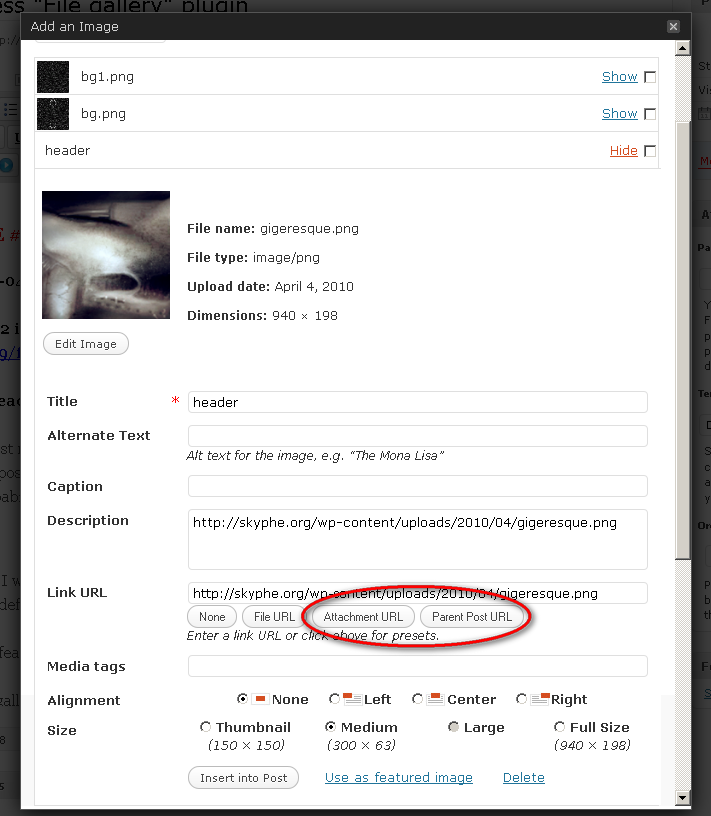
Second thing: the possibility to choose a link to file or page. I would prefer a “to file” default behaviour.
I wrote a post for my plugins blog (in french). It will be published the may 22th.
@Li-An: Thank you! Can’t wait to read the article :)
I’ll add the align options, and option to link to attachment’s parent post in v1.5.2 (hopefully by Monday – I’d do it right now but some kind of flu got me the other day and I’m still sick), somehow I forgot about that :/
but you can already set “link to” defaults via the settings page (settings->media).
Thanks for this quick answer ! And take care about your health :-)
http://www.li-an.fr/wpplugins/plugins/file-gallery/
The post about your plugin is online :-)
Hello,
I cannot change the order of the images in the galleries with drag and drop in two different WP installations. Is it normal ?
Hi Li-An :)
Could you describe exactly in what situation does this happen?
Because, if you’re talking about clicking on a gallery representation image in WordPress editor and then reordering attachments in that gallery visually – that’s a bit more difficult task to accomplish and I can’t tell you exactly when it’s going to be implemented…
So, if that was the question, the answer is: yes, unfortunately, it’s (still) normal :/
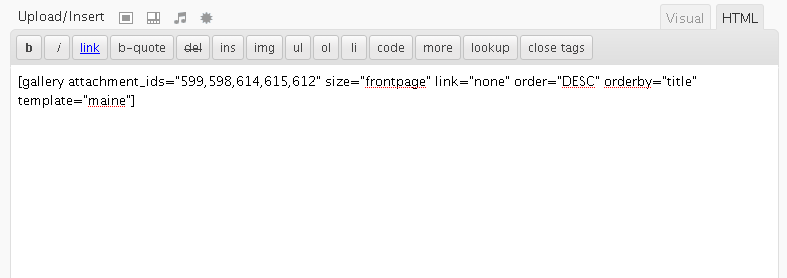
ps: I know it’s not much help, but, for now, you can go to HTML view and rearrange attachment ID’s (attachment_ids=”1,2,3″) in order you want them to appear in a gallery…
OK :-) (I did it the way you say). So, what the use of drag and drop ?
And the 1.5.2 version :-)) ?
The use of drag and drop just seemed like a natural choice when I was deciding on a sorting technique. And I suppose it will seem even more natural when I implement the in-gallery sorting you asked about :)
Also, I might find some time to work on 1.5.2 this weekend. The plan is to add image align options and continue work on TinyMCE integration.
Stay tuned :)
Nice :-) (you can leave the TinyMCE integration as I don’t use it :-)).
Hi there,
I am appreciative of your hard work on this plug-in. It really increases the Media Library’s functionality, but it seems to get me allllmost to where I need to be. Maybe I am missing something? it’s hard to explain, but ..
This is what I am trying to accomplish;
I want to pre-upload about 100 photos into the Media Library,
I will pre-label each one, giving a description, caption, tag, etc
Then, I give the site over to a less tech-savvy WordPress User
where simply, they may click ‘Create New Post’,
and then browse the ‘Media Library’ for my pre-uploaded photos
where they could drag&drop (or select) which images they want to insert as a GALLERY into the New Post.
I want the Client to be able to create several Galleries using the same photo from the Media Library. WordPress does not make this possible
To put it into context; I have a friend who runs a small Fresh Produce store. They have Specials on strawberries, broccoli, etc — these items are on special frequently, and I want them to be able to recycle already uploaded images, and not have to upload their own
Thoughts?? =P
Thanks
Actually. I’m sorry I didn’t explore the plug-in further. This does exactly what I need. Awesome. Now I am attempting to integrate it with the “Cleaner Gallery” plug-in by Justin Tadlock. More specifically, integrate it with Thickbox. Will keep you posted
I don’t think that’ll work, unfortunately, Cleaner Gallery modifies gallery output on its own, so these two plugins will clash, I think.
BUT, I did find time to work on implementing a system that would add easy support for lightbox-type plugins. It will be in File Gallery 1.5.2.
Hey aesqe,
For some reason when I try and list all of the tags with your function .. nothing happens.
I put in my template .. and it doesn’t do anything.
I have tags on my images, file gallery recognizes them in my admin window, yet nothing is showing up.
It will be fixed in 1.5.2, sorry about that, I didn’t put quite a lot of thought in that function’s output, to be honest… :/
Great plugin! Just what I was looking for. I am using WP 2.9.2 and FG 1.5.1 and have a little problem I can’t seem to figure out.
When I upload images the file gallery works great! The full URL to the image src shows up for the image thumbnail. Just like it is supposed to with the full http://sitename.com/wp-content/uploads. But when I upload a document file type like .xls, .doc or .pdf the thumbnail icons located in the wp-includes/images/crystal folder don’t have the full URL with http://….. So the file icons do not show up. Only the title of the file. Is there something I need to configure in the settings path url? Or do I need to edit the gallery.php file in the file-gallery/templates/default folder?
Any help would be greatly appreciated. Hope you kicked the flu!
I fixed this for 1.5.2, thanks for reporting it :)
If you can’t wait for the release, modify line 400 in includes/templating.php and change
get_option(‘url’)
to
get_bloginfo(‘home’)
Michael, Lou: Thank you for the bug reports, I’ll release 1.5.2 tomorrow with fixes and updated help file. I fixed it, but I still need to test a few things before I push it to the repository.
And I’ve (finally) kicked the flu, thanks for asking :)
Hello, I really like the ease of use but want the option to use my Alt text when hovering over the image from the media library properties – but that text does not show in the image properties once it has been added to the local post gallery. Would appreciate insight.
Thank you much
Fixed for 1.5.2, thank you for reporting it :)
Wow, this is the best gallery plugin for my slow connection. I love the new ‘set thumbnail’ in WP 2.9 but I hate to move from the current page / post again and again. And your plugin just solves this problem. These are my requests for improvements:
1. Option to auto-generate the gallery from post-thumbnails so that I don’t need to update the gallery every after publishing new post.
2. ‘Link to post’ more than link to attachment or full version image.
Or… Did I miss something??? Thanks for great plugin. Keep up… ;)
Hi, bunda :)
Could you clarify suggestion number 1 a bit more?
Option to link to the parent post of the attachment when inserting images from the File Gallery metabox has been added in 1.5.2, thanks for the tip :)
Hi everyone, I’ll try to fix everything today, I had no time to work on the plugin this week…
I’ve setup bbPress forums here: http://skyphe.org/forums/
It would be great if, from now on, you could submit bug reports and feature suggestions in the forums. It would be much easier for me to track changes – hopefully for you too :)
Thanks in advance, I’ll leave a comment here when 1.5.2 is released ;)
I’ve got a problem with the forum: I did not get any password (I asked for another one). No mail in spambox :-(
OK, I put my problem here. When I select multiple images for inserting I got this sort of code (for 3 images):
Well, code do not show so:
for first picture, got the code class=”aligncenter size-medium wp-image-7960″
for the second: class=”aligncenter size-medium wp-image-7960 aligncenter size-medium wp-image-7961
for the third: class=”aligncenter size-medium wp-image-7960 aligncenter size-medium wp-image-7961 aligncenter size-medium wp-image-7962″
Ungh, I thought I fixed that…
Will update the plugin and see what’s wrong with the forum registration when I get home, sorry about that :/
Thank you :-)
Hi,
I found an option in the plugin to copy all photos from another post, but what if I want to copy only one or several images from another post ? Is it possible?
I couldn’t find a way to do it.
Beside that – that is a great plugin, I use it all the time.. :)
Thanks
Hi Maor :)
There is a help file included with the plugin and you will find all the instructions there (I better put a link to it on the settings page, right?), but here’s the short version:
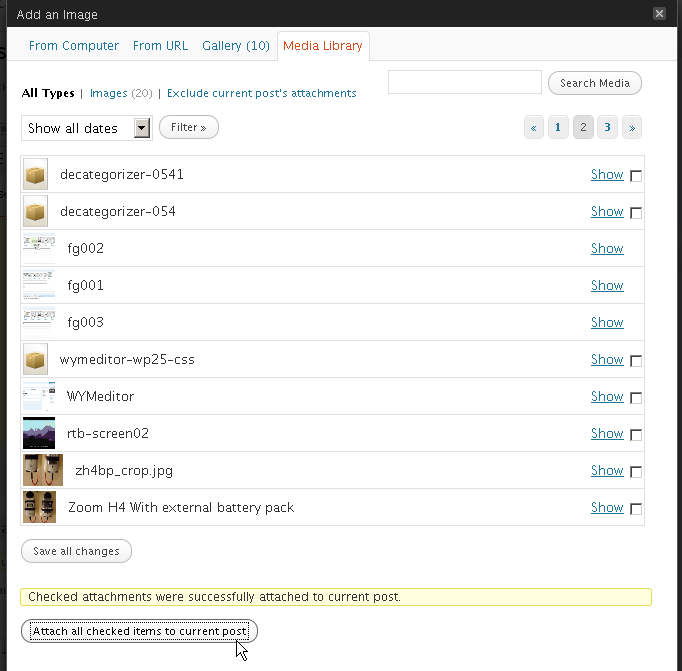
when on post editing screen, click on the upload / insert media button above the post content and go to media library tab. Put a checkbox next to every attachment you want to copy from some other post, and then click the button at the bottom of the page (“Attach all checked items to current post”). That should do it :)
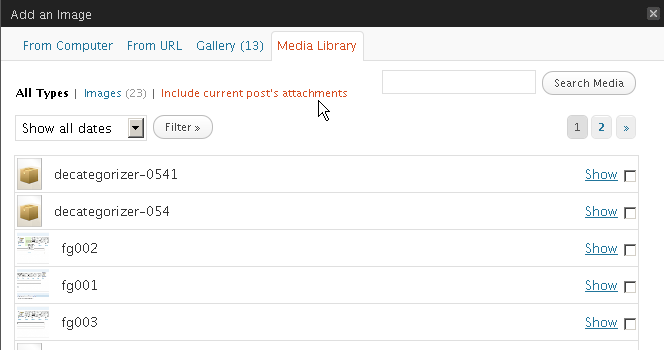
There’s also a useful “Exclude current post’s attachments” link at the top of the page.
And I’m very glad you like the plugin :)
Oh, thank you very much for your so quick response :)
That’s great, I just haven’t noticed that link on the bottom before!
Thanks again
Maor
Hi, having an issue with File Gallery blocking another plugin (Pods CMS) that is causing me some headaches. Pods CMS has a browse media call that returns a list of post_type attachment. For some reason, the latest version of File Gallery doesn’t allow this ajax to return any results.
Would love to paste you the part that’s failing to see if there might be a solution. Not sure if this will work, but here goes:
$val)
{
${$key} = mysql_real_escape_string(stripslashes(trim($val)));
}
/**
* Load file list
*/
if (‘browse_files’ == $action)
{
$search = empty($search) ? ” : “AND guid LIKE ‘%$search%'”;
$sql = ”
SELECT
id, guid
FROM
@wp_posts
WHERE
post_type = ‘attachment’
$search
ORDER BY
guid ASC
“;
$result = pod_query($sql);
if (0
<div class="file_match" rel="”>
errors[‘upload_error’] as $error_code => $error_message)
{
$errors[] = $error_message;
}
echo ‘Error: ‘ . implode(”, $errors) . ”;
}
else
{
echo $attachment_id;
}
}
Addendum: I know its a FG/Pods collision because when I deactivate FG, the Browse function in Pods works fine.
Again, this wasn’t an issue before the latest version.
For the moment, I’ll try downgrading to 1.5.1
Interesting, since I also work with FG and with Pods in some websites.
Still haven’t upgraded to FG 1.5.2, and still using Pods 1.8.7 (I think there is 1.8.8 already)
Do you mean the images can’t be shown while browsing in the edit Pods UI panel?
I have a File column on one of my Pods. The ‘upload’ never seems to work, so I use WP Media to upload images, and the ‘Browse Server’ button on the pod’s file input to located the media from the WP database.
It was this that wasn’t working. But now seems fixed!
I use the also File column in Pods and have no problems using the Upload button to upload files.
Try to ask this in Pods forums, I’m sure there’s a solution for your issue.
Andy: I’ve sent v.1.5.4 to the plugin repository, should be available for download in 10 minutes tops.
Please try it out, see if it fixes the Pods problem, I’m pretty sure it was all because I’ve copied the “file_is_displayable_image()” function from WordPress. Instead of simply renaming it, I added two checks (function_exists() and is_admin()), but as I found out today myself, that’s not enough sometimes :)
Other possible problem could be tinyMCE related if you’ve used it with Pods. I’ve commented the action out for now, until I finish working on that part of the plugin.
I don’t honestly know what else to do, between 1.5.1 and 1.5.4, 95% of the code is the same. I hope this does it…
Thanks! I can confirm that the issue I was having is no longer an issue. The list of media is now properly being populated and I can choose from my uploaded files.
Thanks again for the quick response!
Love the ‘intermediate sizes’ that FG provides.
I’m glad I could help :)
Have you checked if FG works fine with WP3.0 RC1 ?
Thanks
Yes, I always work with the latest nightly and then check against latest stable before releasing it :)
Great :) Thanks!
Hi.
This sounds like a great plugin. When I try to open the .zip file its asking for a password. Did I miss something in the notes? Is there a password?
Thanks!
Mattone, the ZIP file has no password – where did you download the plugin from?
You should download it only from the official WordPress plugin repository – http://wordpress.org/extend/plugins/file-gallery/.
Hi,
In the “link to” option, is it possible to link it to a URL within the website or external URL? So, each picture, when clicked, goes to another page/url?
Thanks,
H
Thank you for the suggestion, H :)
I’ll implement it in the next version, but I’m really short on time these days, so I don’t think that’ll be any time sooner than next weekend :/
Until then, you can always use the default WordPress “insert image” options…
Please, install Askimet or Bad Behaviour or any other antispam plugin as the subscribers to the comments receive all the spams on this post.
well, this was just embarrassing, because i do have akismet installed, but for some reason it didn’t reactivate after last update a few days ago.
i’m so sorry about this, everyone, should have checked that right away… :(
:-) Just OK now.
Hello Bruno,
I am very surprised by your plugin – it is really, REALLY amazing!
But…. there must be some small problem with “shortcode” interpretation – I am not able to show only some IDs in gallery, all the attachments are always shown as a result !!!
I hope it’s a one minute repair :-)
– using WP 2.9.2 + file gallery 1.5.5 (all other plugins disabled)
example:
– attachment images of test page: Ids = 310,311,312,313
– shortcode:
[gallery attachment_ids="310,311" link="file" template="file-gallery"]
– the result is a gallery with ALL FOUR images….
By the way – would be possible to add a select box “number of columns of gallery?” to API? (it would be much more convenient for configuration than togo to HTML edit….)
Thanks a lot!
Joo: I’ve tested the exact shortcode syntax you’ve posted here both with WordPress 2.9.2 and 3.0, and it works just fine for me :|
Does the template work? If not, there’s something blocking File Gallery from taking over the gallery shortcode. What theme are you using?
Hopefully, we’ll fix this in no time :)
Hello,
thanks for superfast reply.
The strange problem is solved, yesterday midnight….
Curious behavior was really NOT caused by FILE GALLERY plugins’s code.
The problem was caused by small piece of override code for getting of valid HTML output of built-in Media “gallery”…..
http://wpengineer.com/a-solution-for-the-wordpress-gallery/
There is no reason to use it with your FILE GALLERY, of course, everything is OK now.
Cheers
I’m glad you’ve solved it, Joo :)
I have a similar problem: using the “include” tag, all the images are showing. By the way, what is the difference between the official “include” tag and “attachment_ids” ?
Include and exclude attributes were introduced back in December with 2.9, but I must admit I haven’t noticed them until now. Huh… :|
I’ll implement include and exclude this weekend, for the sake of compatibility. As far as I can tell, there’s no difference between “include” and “attachment_ids”. Might be best to treat them both as the same thing?
I thing it will be better to use “include” and “exclude” for future compatibility.
File Galley 1.5.6 with support for ‘include’ and ‘exclude’ parameters is available for download from the repository.
I’ve also added column options and a “clear file gallery cache” button to the UI.
hi there,
Your plugin is excellent. I am wondering if you had a chance to look into the link to option to external URLs?
Many Thanks
Oh maaaan, I had a feeling I forgot something :/
I’ll see if I can implement it tomorrow, shouldn’t be much of a problem.
Thanks for reminding me :)
Excellent, really.
I think your plugin should be a part of WP core….
I have a strange question/idea, maybe:
I would like to show in pages/posts some series of photos.
Your FILE GALLERY + WP Media Library seems to be definitevely the best solution for me (and probably for lots of people).
But….
I would like to show some ADDITIONAL DATA for each photography,
structured / imported from some CSV file like this:
“image_data_set.csv”:
Id_A, Col_1, Col_2, …., Col_N
Id_B, Col_1, Col_2, …., Col_N
……
Id_X, Col_1, Col_2, …., Col_N
etc.
In case of for example “Painting data set” it could be:
Id(*), file_name(*), Painting’s name, Technique, Size, Year, ……, N-th item of the CSV description
My idea is to have a possibility to upload such CSV data file and extract the data (bind the data) to image items in Media Library.
For the reason of compatibility probablz directly to “Captions” part of an attachment’ description – I think it would be by far the most robust and easiest solution (?).
The “data binding point” would be probably the Id of an attachment – the Id in the file will have to be the same.
BUT the most PRACTICAL solution would be probably the data binding via IMAGE FILE NAME {a (*) sign in file’s example}
– then it would be indiferent to WP database item changes etc. etc. Once uploaded data is a part of image standard description.
I think all this idea is rather a problem of “developing of DATA IMPORT PLUGIN for attachments in Media Library” than adding of some new code into FILE GALLERY (especially in the case of NO additional CSS formatting of Caption items Col_1, Col_2, Col_3….)
I know, it is probably above the purpose of FILE GALLERY, and the demands of many users, but I think it would be really great to have some feature like this in future.
I don’t think some monsters like NextGen or Ecommerce are suitable for this….
Any ideas?
Examples of SQL queries suitable for such rough data import to Media Library (after some study of table structure etc….:-) ?
Plugins enabling this?
Sorry for this long “text” post, I hope “varchar(255)” length would be better.
Thanks….
Cheers
Hi Joo :)
It would probably be best to use custom fields for attachments in your case.
There’s been a question about this on wp-hackers a few days ago: http://old.nabble.com/Custom-fields-for-attachments-td28928317.html
It probably wouldn’t require much work to implement it in my plugin, but it looks to me like it might be better to create a separate plugin to handle those custom fields.
I’ll take a look into it, but I really can’t promise you anything as I’ll be very short on free time for a few more weeks… :/
Now, importing CSV data into the database is trivial (take a look at PHP’s native fgetcsv function), and yes, you could use the caption field as a quick solution.
Sorry I couldn’t be of more help, but I hope this can get you started.
Please leave a comment again if you get stuck ;)
Hi, I keep getting the following error when I try to activate File Gallery. Any ideas?
Fatal error: Cannot redeclare file_gallery_plugins_support() (previously declared in /var/www/vhosts/accumulous.com/httpdocs/wp-content/plugins/file-gallery/file-gallery.php:73) in /var/www/vhosts/accumulous.com/httpdocs/wp-content/plugins/file-gallery/file-gallery.php on line 107
Got it working. Looks like it may have had something to do with the basedir that was set in https.conf.
sorry for the late reply, but I’m glad you’ve got it working :)
Interesting issue popping up when I use this plugin. When editing posts and pages, the “Featured Image” widget will show “Set Featured Image” for a second or two and then change into a “-1”. The only way I can set a featured image on a post is to insert an image and click the set featured image option inside the media browser. If I disable the plugin everything works fine.
I’ve noticed the issue yesterday, I’ll fix it for next release, sorry about that :/
This is great! This is what I was looking for, thanks for helping me solve my problem.
Amazing plugin – thank you :)
I am using polaroid gallery plugin as want to display galleries using that http://wordpress.org/extend/plugins/polaroid-gallery/screenshots/
But just want to use file gallery for managing the attachments etc
Does anyone know ho wto make the two work or at least stop file gallery from handling the displaying aspect and let polaroid gallery do that?
Many thanks
Jonathan (London)
I’ll add support for Polaroid Gallery in next version, and also an option to disable File Gallery from taking over the gallery shortcode. Thank you for letting me know :)
Thank you for the speedy response.
In the meantime could you point me in the right direction to hack it to force it to disable the gallery shortcode just so I can get this site launched :)
Where in the php does your plugin override polaroid or is there a setting in the core or database that tells it which galery should take priority?
thanks
Sure thing :)
In the includes folder, at the very end of the ‘templating.php’ file, just comment out line 604.
The line is:
add_shortcode(‘gallery’, ‘file_gallery_shortcode’);
just add two slashes in front, like this:
//add_shortcode(‘gallery’, ‘file_gallery_shortcode’);
I’m pretty certain that is all you need to do, as that will disable [gallery] shortcode processing, nothing else.
Superb I was actually just looking at that function in that php file so I was getting close ;)
That worked – thanks for such great service ….
File Gallery 1.5.7 is available for download :)
* added option to disable file gallery shortcode handler (if you want to use File Gallery functionality in backend only) – the option is on Media Settings page
* added options to link a gallery or single images to some external url
* fixed the post thumb -1 (WPRemoveThumbnail nonce) bug
Thank you for the new updates!
There is no translation files (po) but I have a mixed french/english option page ???
I have no idea why that would happen, Li-An, changes I’ve made in 1.5.7 are nothing sepcial, really :/
Have you tried deactivating / reactivating File Gallery?
Hello I am using your file Gallery 1.5.7.
Unfortunately uploaded files appears as broken links. When I check I see the file location of where the documents are uploaded and the Actual address that is being called to retrieve the images are completely different. The files are actually located at “C:\Inetpub\wwwroot\wp-content\blogs.dir\1\files\20107” and the gallery is looking in the http://portal.fcp1.com/files/2010/07/. The files directory in completely empty. How do I get files to upload correctly?
Thanks for the help
Dre
@Andre: can you confirm that this is happening only when File Gallery is activated?
@aesqe Yes you are correct when I deactivated the pluggin I still got the error. I guess that rules out the plugin. Do you know how I can resolve this issue?
Hi,
Great plugin!
3 questions though:
– Let’s say that I created 3 galleries in a page. How can I organize my pictures by drag and drop for each gallery separately?
– How can I add a picture to an existing gallery without selecting again all the pictures that I want to see and regenerating the gallery?
– Are you planning to add the possibility to add a watermark on the pictures in a next release? That would be great
Thanks again,
Hi Greg :)
1) you can’t – yet :/ I’m not that experienced with JavaScript and TinyMCE, so the communication between File Gallery and the editor is still as simple as it gets…
2) same as above, I’m afraid… But you can select an existing gallery’s placeholder in the editor, and all the attachment in that gallery will appear as checked in the File Gallery metabox. I hope that helps a little bit…
3) I’ll think about it over the weekend, but have in mind that there’s quite a few other features I’d like to implement first :)
@Greg: how would you like the watermarking process to function? (as in where to place the options, what options you’d like to see available, etc)
I think I’ll look into supporting existing watermarking-capable plugins first, don’t want to reinvent the wheel :)
And while we’re at it, here are two excellent watermarking plugins:
Scissors and Watermark Reloaded
Hi,
– Watermarking with text or picture
– ability to play with opacity
– watermark fixed size or % of picture size
– all positions (center-center, bottom-right, etc)
– ability to watermark pictures already updated
– ability to choose the picture size to watermark (no need on the thumbnails, etc
An other cool thing not related to watermarking would be to explore a better way to update/manege picture fields such as title, alt and caption.
Titles of my pictures are quite long and the default fields in wp are not big enough to allow me to see all my text, I have to scroll
If these fields could have 3-4 lines height like a message box that would make life easier
Voilà :-)
@Greg: that sounds like a big feature :)
It’ll have to wait, tho, I don’t think I’ll have the time to work on something like that before September, sorry… :|
I’ll see about increasing the height of those text fields, maybe add it as an option.
Hi Aesqe,
I strongly vote for adding of “watermark functionality” to your superb plugin.
Maybe would be better to design some specialized plugin? Surprisingly, it seems there is not any functional watermark plugin for WP3+ (!) (especially with JPG/PNG support)
What about to start with some basic version?
I am really looking forward for “aesqe-watermark” plugin
:-)
Hi Bruno –
Thank you for building this plugin. It’s ability to easily attach arbitrary media library items to multiple posts has been invaluable for a site I’ve been maintaining.
That said, there are a few issues I’ve come across that I should share with you. First, this site that I’m using the plugin on also has a number of other plugins which add meta boxes to the Post editing screen (Microkid’s Related Posts and Subscribe2 are two of them, among other custom ones). When the site’s content managers add or update posts using Internet Explorer (any version), any changes they make in the other plugin’s meta boxes don’t get saved. I isolated the problem to the fact that the File Gallery’s meta box contains
…elements. Because the meta box is within the context of the main post content’s form, that means the file gallery’s forms are nested in the main form. Now, not only is that invalid HTML, Internet Explorer doesn’t handle it properly. I’m not exactly sure, but seems to see the nested…closing tag as closing the outer form. Other browsers, however, don’t seem to have any such problems.As a next step, I disabled the File Gallery meta box in the Media preferences, only to uncover a JavaScript error being thrown in that situation. Without the file gallery media box, the File Gallery JavaScript was still trying to initialize and act on elements that were no longer there. I added a bit of code to file-gallery.js in the
setup()function to fix this. After you try and find thecontainerandfile_or_tagselements, I addedif (!container.length) { return; }as a fail-safe, and the JavaScript problems disappeared.If I could make a suggestion as to how to improve this plugin in a future release, I’d say to get rid of the nested form elements and move the whole AJAX-y admin tool in the meta box into an iframe to cordon it off, or perhaps utilize the built-in thickbox interface to do all that stuff in.
Again, thanks for building this very handy plugin.
Michael, thank you very much for this comment, and I’m glad you like the plugin :)
I’ve been meaning to fix that “form in a form” problem for a couple weeks now, but never got around to it. I’ll try to release a new version by Saturday, with all other reported bugs fixed.
Just a quick note: I’m pretty certain that just changing the ‘form’ to ‘div’ should fix the problem… I’ll test it further in the morning.
Any plans for being able to create galleries of other media types? pdfs for example. wordpress let you get the point of creating a gallery this way but doesn’t display anything.
several days of searching have turned up no plugins that accomplish this.
There are some plugin listing attached files.
http://xavisys.com/wordpress-plugins/attachment-manager/
http://www.wordpress-fr.net/support/viewtopic.php?pid=209996
http://codex.wordpress.org/Template_Tags/get_posts
Thanks for the links, Li-An :)
@startac: I do plan to add some kind of “media_type” option to the shortcode, but I can’t tell you for sure when that’s going to be implemented.
I’ll take a look at it this weekend, see how complicated it would be to implement.
I did find a post for someone who actually did it
http://www.worldwidepenguin.com/blog/2010/05/make-wordpress-gallery-display-pdfs-and-other-non-image-file-types/
http://www.worldwidepenguin.com/blog/2010/05/make-wp-gallery-display-non-image-files-independent-of-file-type/
I’ve been making it a point not to modify anything except through plugins. Plus I’d be blindly cutting and pasting.
http://wordpress.org/extend/plugins/media-library-shortcode/
Hi!
I was wondering if you could add image support for non-image files. I’m trying to use this to list available ebooks (PDFs) on my site. It works well, except that every file has the same icon & it looks a bit drab. I have image files for book covers, but it seems I have no way to use them.
Is this something you could support in the future?
Thanks for the plugin! Even without images for non-image files, it is a great addition to WP functionality.
Thanks, Brian :)
I’ll look into this, I’ll see if I can come up with some easy to use system.
Just upgraded to 1.5.7 and it seems the “Set Featured Image” Bug was fixed but now another bug is there. Whenever I insert a new image and set it as a featured image, the image disappears when I close out of the “Add Featured Image” lightbox. The “Set Featured Image” meta box keeps resetting itself back to “Set Featured Image” hyperlink.
Looks like I have to attach the file first, then set as featured image through file gallerys UI instead of WordPress native UI. If I don’t attach the file using file gallery and just use wordpress native, the set featured images doesn’t work.
Same issue for me
Pingback: WordPress Relief » Blog Archive » Suggest Plugin: File Gallery Plugin
Anyone want to test File Gallery tinyMCE integration?
It’s easy — just download v1.5.8b1 from here and read the included readme.txt :)
Note: the feature currently only works completely in Firefox and Opera (gallery contents don’t get updated in Safari, Chrome and Internet Explorer – read the readme.txt to find out why).
Michael Bester – I’ve changed both <form> instances into <div>s. I’ve checked it with Subscribe2 and Microkid’s Related posts and everything works fine here :)
Greg, Richie – I’ve fixed the post thumbnail bug, sorry about that, I didn’t take non-attached images into account.
Thanks for all the help! :)
Thanks a lot for yet another amazing post. I am always on the look-out for fantastic WordPress tutorials to recommend to my own readers. Thanks for taking the time to write this article. It’s exactly what I was looking for. Truly awesome post.
File Gallery 1.5.8 beta 2 is ready for testing.
Download: http://skyphe.org/wp-content/uploads/2008/09/file-gallery-1.5.8b2.zip
Changes:
* added mime type support, more info in help file when 1.5.8 leaves the
testing phase. For now:
– you can either use the full mime type (like application/pdf) or the
shorthand variants (pdf, word, doc, xls, excel, cvs, zip, rar, 7zip)
– you can extend the mime types array using the
‘file_gallery_mime_types’ filter
* added ‘limit’ in code, but I just remembered I didn’t implement it in
UI, so forget about that for now (will anybody use this, anyway?) :D
* minor tweaks and bugfixes, added a few new actions and filters,
enhanced the support for lightbox scripts… New help files are
coming soon :)
I tried to activate your NEW zip from my “Plugins” window and it failed. I tried your gallery plugin before trying the NEW one and it seems like it has so much potential to what I want in a gallery plugin. I just can’t get the thumbs to open the Full size in a lightbox. Argg. Is that even an option? do I need this in addition to another plugin? I tried to read as much of this convo as I could bare to try to find the answer before posting, and gave up. Any ideas.
@brookstone: if you want to try the beta, you’ll first have to uninstall the old version of the plugin, or upload and overwrite the files manually via FTP. Otherwise, WP will just throw an error, because the folder with that name already exists.
Which lightbox script/plugin are you using?
Hey, I installed this plugin and I love it so far. I’m having an issue, though, displaying non-image files. I’m using WordPress 3.0 but I also tested it on 2.9.2 with the same results.
When I use the gallery shortcode, it displays all the images I’ve attached, but it does not display the non-image files such as PDF, doc, etc. In order to display those I have to use “insert single”. Is there any way around this? Primarily I wanted to use it to display a gallery of PDF attachments.
Very well-written plugin, though. Thanks for your time!
Idiot alert, sorry! I spent an hour trying to figure it out, then posted a question and figured it out five minutes later. :) I wasn’t checking the individual files before I clicked “insert gallery”.
@Kevin: glad you figured it out, you got me worried there for a second :)
I’ve committed v1.5.8 to the repository, should be available for download within 15 minutes, and for auto-update by tomorrow, I guess.
I’m going on vacation in 10 minutes and I won’t have any internet access until next Monday, so please do continue to leave comments here, but don’t expect any immediate answers :)
cheers ;)
I’ve added your plugin to my site; yet when I try to add a Link Class attribute of “thickbox” to be able to utilize the thickbox features; it does not add the line of code in that I’ve entered into the field. is there something I’m doing wrong?
I’ve installed thickbox plugin as well; I’m just wondering why your plugin isn’t inserting the class input in the backend into the code.
@Andrew – could you please specify when does this happen exactly?
Is it when you’re inserting a gallery, inserting single image, inserting multiple single images, or when modifying a gallery which is already inserted in the editor?
And please tell me which browser and File Gallery version are you using?
I’ve tested all of the above with 1.5.8 and it works for me… :|
File Gallery is just what I’ve been looking for (I think). I installed and activated it but I never see the spiffy new and improved File Gallery Box. I just see the same old WordPress one. I’m using WP 3.01. Do I need to do anything special in the “settings” area. I pretty much left things alone there other than the sizes for gallery and individual image display.
Well, duh. I never scrolled down far enough to see the NEW gallery below the editor! Looks like case closed. I expected to see it when I clicked on “Gallery” when adding an image.
Hi,
Happy user of 1.5.7, i’ve just installed 1.5.8
Unfortunately for some reason the file gallery interface don’t show up, like if the plugin was never installed
Any idea?
Thanks,
@Greg – I can think of only two solutions, and it’s probably neither of them:
1) go to the media settings page and, at the beginning of the File Gallery options, see if the checkbox next to the post type you’re working with is checked (‘Display File Gallery on which post types?’)
2) when on post editing screen, click ‘Screen options’ tab at the top of the page and see if File Gallery is checked
if both of these are checked and file gallery box is nowhere to be seen, could you please try going back to 1.5.7 and see if it would reappear?
I really don’t know why that would happen… :/
I am trying out your cool plugin because I need the ability to have the same gallery appear in post translations with language specific captions. However for some reason I can only edit the Description field of a photo. The cursor blinks in the other fields too but nothing appears when I type. I can’t even replicate the tagging like in your video. What am I missing?
Sorry about that, a silly JavaScript error on my part :/
It’s been corrected in 1.5.9 which will be available tomorrow.
I was going mad and desactivated all plugins to see where the problem came from !!! :-)
By the way, do you plan to internationalize your plugin ?
@Li-An: you just have to place the translation file into either the ‘languages’ subdirectory of the plugin, or into the ‘wp-contents/plugins’ directory (probably better, because it won’t get deleted when plugin is updated). The file must be named ‘file-gallery-LANGUAGECODE.mo’.
I still haven’t decided if including the translation files in the plugin download is a good idea or not. It just increases the overall download size, and most people are OK with their interface being in English. I’d rather offer translations as a separate download, or even have a built-in WordPress (or plugin) function which would fetch them from a remote location .
So, in conclusion (heh), File Gallery is internationalization ready, but I won’t be including the language files in the download. For now ;)
I can understand your point of view. But WP is wooorldwide and a lot of basic users don’t understant english very well. I will maintain a french translation on my blog but could you change two things to help me to translate your plugin ?
1. Add the line
load_plugin_textdomain( 'file-gallery', false, basename( dirname( __FILE__ ) ) . '/languages' );at the beginning of the file-gallery.php file
2. change the names the file-gallery-hr.mo and file-gallery-hr.po into file-gallery-hr_HR.mo and file-gallery-hr_HR.po
Thank you.
There’s a call to a slightly modified version of that function on line 92 (“file_gallery_load_plugin_textdomain”). Please do tell me if that is breaking something, I haven’t noticed any problems.
But you gave me something to think about, so I’ve decided that it’s better to follow the usual way now, and deviate later. So please send me your translation and I will include it in the plugin :)
And a question: is there any particular reason why I would need to rename the Croatian translation file? As I understand it, the _HR would be necessary only if there was a language variant, and there isn’t another (official) variant of Croatian. I’d appreciate if you could explain it to me if I’m wrong about this, I’m not that experienced with internationalization :|
I’m open to any and all suggestions, don’t be afraid to tell me that I’m doing something wrong ;)
I’m using the codestyling plugin http://wordpress.org/extend/plugins/codestyling-localization/ and it did not find your language files. So I did put the code line and after changed the name of the files. But maybe the code is useless, I will make a try.
As there is a lot of things to translate, I will finish next monday the translation I think.
I’ve committed File Gallery v1.5.9 to the repository, it should be available for download soon :)
Hi,
When I upgrade File Gallery to version 1.5.8 or 1.5.9 I lose lightbox capabilities on my images. If I roll back to 1.5.7 everything is fine again. Any idea what could be causing this?
I use wp-PrettyPhoto for lightbox effects since the layering works best with my template set.
Thanks,
Ron
I’m checking the code right now, I’ll try to fix it ASAP. Thanks for reporting it, Ron :)
OK, I’ve found the problematic code. It’s in the ‘templating.php’ file inside the ‘includes’ subfolder.
You can download the development version from here http://downloads.wordpress.org/plugin/file-gallery.zip, which has this fixed.
Thanks! Looks like that did the trick!
well, that’s a relief :)
I’m not certain how to achieve the following as I am not a php or javascript coder.
I have several pages of galleries.
For each, the thumbnails are to be the navigation system for the displayed full-size photo. Clicking a thumbnail displays its full-size version. The thumbnail set for that gallery must also continue to be displayed (in a 3 x 3 grid).
I’ve no trouble getting the plugin to work with the thumbnails and main images showing separately rather than together. I cannot figure out how to achieve the latter. Essentially, the behaviour should resemble what we see with a flicker thumbnail stack in a sidebar, except I don’t want to go racing off to flikr, I just want to show the main image in the same page.
@David Colburn: could you send me a link to what you have so far? Thanks :)
Any way to add pagination to a gallery? I’ve got a Page and inside that page is a gallery. Instead of adding individual pictures into posts and sorting that way, I’ve used file gallery to create 1 gallery on that Page, but I’d like it paginated.
Thanks in advance.
Also, I have to disable the gallery shortcode for file gallery. For some reason when I’m using file gallery for thumbnails, the thumbnail images shows up. All I see is the images/crystal/default.png image.
Not sure if its one of my plugins, url-rewriting, or whatever causing it. I’ve tried removing and reinstalling the plugin, but it hasn’t worked.
@Richie: I could probably implement ‘offset’ parameter, which you could then use with ‘limit’ to simulate pagination. Anything beyond that will have to wait, I’m afraid.
About your second problem, I’d say it’s probably some other plugin. Try the ever-popular way if you can: disable all plugins except File Gallery, and then start enabling them back one by one to see which one’s causing this.
Sorry I haven’t got a better suggestion :/
Thanks for the reply. I actually implemented some fancy php and used easySlider 1.7 to achieve a scrolling pagination. Only bug was that I can’t seem to write the rel=”” tag because there is a filter overwriting it. Needed ‘rel’ tag for fancybox to work properly.
As for the thumbnails, I was going through file gallery again and it seems that the problem is continuing into single file attachments. If I attach a single image and use file gallery to insert the image into a post by pressing the ‘single image’ button, it drops that crystal/default.png image instead of the single image. So weird. I’ll try what you suggested and get back to you. Thanks again.
Found it! The plugin causing the problems is the JW Player Plugin for WordPress by Long Tail Video. This plugin has some issues. For something released by the guys who actually make it, it’s suspect. Wonder what admin filter is causing the issue with file gallery?
Thank you very much for finding the cause, Richie :)
I will try to find time tomorrow to see what’s the conflict.
Any luck yet? hehe. Looking to launch this client, but file gallery is still broken in admin.
@Richie: I’m looking into the JW Player problem right now
@Richie: on my installation, both plugins work fine.
However, please take a look at the file ‘JWMediaFunctions.php’ found in the ‘media’ folder of JW Player plugin.
At the very end of this file, there are two filters which you can try disabling and see it that solves the problem.
Just comment or delete lines 242 and 260:
add_filter(“wp_get_attachment_url”, “url_attachment_filter”, 10, 2);
add_filter(“get_attached_file”, “url_attached_file”, 10, 2);
and let me know if that works. If not, I’ll look further, but this should do it.
Thanks a bunch. I’m gonna take a look and let you know.
The previous and next buttons ceased appearing. They used to be there when I first installed the plugin, but now they don’t seem to show up anymore. Any idea what’s causing this? Thanks! :D
@Bea: which previous and next buttons?
Thanks :)
Excellent Plug!
Where is the PayPal Donate :D?
@Con Schneider: Thanks :)
I live in Croatia and I can’t use PayPal to receive money yet, unfortunately.
I’ve opened a AlertPay account, but I still haven’t gotten around to creating a donations page.
There’s also my Amazon wishlist, but I guess anything on the list would end up being too expensive just because of the shipping costs.
Hopefully, things won’t be like this forever :)
Hi,
When using the option to show the thumbs in the edit post/page, I see well the thumbs in the edit posts admin menu (max width 80, max-wdht 60)
But in the edit pages menu, for some reason they appear to be very large, and not like in the edit posts menu.
Is this fixable?
Thanks,
Maor
@Maor: I’ll look into it, but I really don’t know where to start, as I haven’t been able to reproduce this bug on any of my setups yet :/
If you could e-mail me a screenshot of the page, or that page’s source code, that could be very helpful.
Is this constant problem on your site, or was it fixed at some point and now it’s back?
Also, you’ve mentioned that you could translate the plugin into Hebrew a while back. If you ever decide to do that, I’ll gladly include it with the plugin :) And that goes for anyone else who has a translation.
Thanks in advance ;)
Hey,
Well, afther upgrading to WP3.0.1 and to last version of FG, the thumbnails on the edit pages page do not appear big, but the td element is just to wide. I assume it is something in css.
I’m emailing you now 2 screenshots of how it looks .
About the translation to Hebrew, I’d love to translate the plugin, I hope to do it in the next coming week and then I’ll mail you to translated files.
Thanks
Maor
@maor:
I’ve added a CSS fix in latest development version. It will be included in next version, but I’ve also updated it in current stable (1.6.0.1), so you can re-download and re-install that one, if you wish.
thanks for reporting it ;)
(And sorry about the blatant copy/paste reply :-D)
I’ve re-downloaded and re-installed the plugin 1.6.0.1 from the WP repository, but it looks the same in the pages edit page.
I found why this is bloody happening, sending you a mail now with the fix…
10x
Hi,
For some reason file gallery does not appear when i’m creating a new work or editing existing works. However it does appear in posts and pages.
Didn’t have that issue with 1.5.7
Any idea?
Thanks,
@Greg, are those custom post types?
If so, there’s a bug I haven’t isolated yet – when upgrading the plugin, some of the options might get reset, so that’s probably it. Go to your media settings page and scroll down to “Display File Gallery on which post types?” and check your custom post types.
Sorry about that, I’ll look into it this weekend.
Thanks, “work” was not ticked
It’s all OK now – thanks again for your great plugin
Brilliant work! I’ve been searching for such a plugin for a while and just found yours. It does what I need it to do: attach images across multiple posts. THANKS a lot for this!
Thanks, Anil :)
Hello!
First of all, your plugin is TOTALLY awesome! I was wondering if there is a way to force the attachment links to open in a new window. I am not much of a PHP coder, but in your attachments.php file, i tried changing this:
if( “” != $link )
$output = ‘‘ . $output . ‘‘;
to this:
if( “” != $link )
$output = ‘‘ . $output . ‘‘;
with little success. Any help you could offer would be much appreciated!
-Chris
I guess I am not much of a commenter either…. that PHP code did not post correctly =/
I got it to work!
Hi,
I have an issue, that the thumbnails from the plugin do not change. It is always only the thumbnail from the first PDF I uploaded to my media gallery. Any idea?
Regards
Michael
@Michael: I haven’t had the time to work on PDF thumbnails yet, but I’ll try to implement it by the end of this year.
I’m trying to use the “file_gallery_shortcode” to retrieve the first image of the gallery to display as a “featured” image on the home page. I can’t find an explanation for the different options.
I think I’m missing something with the correct usage of this shortcode. I’m using this PHP to get the first image:
$post->ID, ‘size’ => ‘full’, ‘attachment_ids’ => 1, ‘output_type’ => ‘object’) ); ?>
It really doesn’t matter what I put in the array, it always displays the defaults. So if I specified: ‘id’ => 398, and no other options, it still displays the current post.
Answered in the forums, thanks for reporting this, Anthony :)
http://wordpress.org/support/topic/file_gallery_shortcode-help
Sorry for not replying to any requests lately, but I’ve been home sick for the past ten or so days (again), and I’m really not in best shape (paranasal sinuses problems, headaches and general dizziness). I’m starting to feel better and will go back to work on Monday. I’ll also try to take care of all the File Gallery issues as soon as possible.
Thanks for understanding :/
OK, I’ll start by suggesting that all future support questions should be posted in the official WordPress.org forums.
If it’s all in one place, it will be much easier for me to keep track of all the bugs and requests, and for the users to find answers to common questions :)
File Gallery support forum at WordPress.org
I’ll respond to all the unanswered questions asked here with a reply, and then I’ll move to the forums.
I’ll place a notice on top of this page and shorten the list of comments, but I won’t close them.
Thanks for understanding ;)
Great plugin! Is there a way to add files of other than images? Zip, rar arcchives, PDF files? Thanks
hi :)
unless you specify only “image” as mime type, then yes, all file types will be visible in the gallery.
Hello,
that is really great plugin (sorry – GREAT PLUGIN!), but I am a bit confused: it is for the first time I Im trying “insert single files” – and NO captions revealed… (ALT text)
I hope it is not serious, because while inserting “gallery” everything is OK!
Could be possible the same behavior of “single files” captions as built-in WP way? (that is wrapping tags, CSS classes – for the compatibility and “the same visual result” reasons).
It would be REALLY SUPERB!
And a minor remark: I still struggle with too small thumbnails (70 x 70 px)
In your code I can see in “main.php” lines
$attachment_width = “70”;
$attachment_height = “70”;
but increasing of numbers in not clean solution – apparently more numeric constants depend on them fixed (resulting in a quite distorted thumbnails layout…)
Thanks A LOT!
Tested on WP 3.0.1, FG 1.6.3.
Hey joo :)
Thanks for reporting this – I totally forgot about single image captions :D
I’ve implemented it in 1.6.4 which should be released tomorrow.
Beta is in trunk and you can download it right now: http://downloads.wordpress.org/plugin/file-gallery.zip
I’ll try to come up with a variable size solution for the thumbnails, I know they’re too small for some people :/
Excellent and superfast !!
Captions are OK. I am happy that my small “feedback” was a bit helpfull.
As far CSS: I think the “thumbnail size” could be one of parameters in admin config settings of FG.
I would like vote for adding of configurable path both to “file-gallery.css” and the “templates” folder files….
I think these files as a part of THEME folder really would be best for flexible customization FG to color scheme of individual themes…
Of course, in case of ! file_exists(USER_PATH……) FG could load the default files exactly like now.
Cheers, Joo
@joo: I’ll see about adding a filter for file-gallery.css for admin, but regarding the templates folder, you can place your own templates in a folder named “file-gallery-templates” inside your theme’s directory and they’ll show up in templates list. It’s all explained in the help file ;)
You can also filter path, url and name of default template.
YES! It’s my shame…
You must hate people not reading help files,
especially of yours
:-))
Thanks!
No shame in asking a question, joo :)
@joo: please try the latest beta version in trunk: http://downloads.wordpress.org/plugin/file-gallery.zip — I’ve changed some things around and you can now choose what image size you want for thumbnails in File Gallery box, and what width they should be. The new options are on the media settings page, of course :)
Let me know if you encounter any bugs.
Aesqe, are you sure there is a new beta-file(s) in ZIP?
I can’t see any difference (in Media options creen + WinMerge file comparison), but maybe I am too tired today….
@joo: did you manage to install the beta? it usually takes up to 15 minutes for the new zip file to become available. I’ve downloaded it a minute ago and 1.6.5-beta is definitely inside :)
Sorry I didn’t reply sooner :/
Perfect!
For me is 1.6.5-beta certified.
:-)
Great! Thanks joo :) I have a couple little things to fix and get some new strings translated and I’ll release 1.6.5. Probably on Sunday.
I’ve added support for attachment custom fields – anyone wants to test? It’s still not released, so here’s the link to the trunk version (v1.6.5-RC): http://downloads.wordpress.org/plugin/file-gallery.zip.
Thanks! :)
Hi Aesqe,
sorry, user fields are a bit out of my experience, not using them
But, there is probably a small glitch in 1.6.5 (?):
I have changed a “caption text” via File Gallery’s “attachment edit options”.
a] insert as Gallery: OK
b] insert as Sigle image(s): some caption’s character are not readable:
qwertyu – ? _ | / modified for: qwertyu+-+%3F+_+%7C+%2F+%C4%9B%C5………
I hope it is not a very bad news.
With regards, joo
Thanks for spotting that, joo :)
I was trying to find a way to make it easy to add links inside captions without having them nullified by WordPress’ TinyMCE plugin. URL encoding was one of the things I’ve tried and I forgot to revert that change for single attachments – sorry.
I’ve uploaded a beta version to the repository as the current trunk version, you can download it from here: http://wordpress.org/extend/plugins/file-gallery/download/ (click on the Development Version link at the bottom) – it should be version 1.6.5.1-beta. If it’s not that version, please try again in 10-15 minutes when the repository refreshes.
thanks ;)
1.6.5.1-beta – captions are OK.
Excellent.
Thanks a lot.
Hello Aesqe,
just for your feedback – “custom fields” works perfectly.
I have tested them in some “FG demo template” for the time being – really superb! I think there is a huge potential with this possibility.
With regards, Joo
Cool, I’m glad that, so far, there are no bug reports regarding attachment custom fields :)
File Gallery 1.6.5 is now available for download from the WordPress plugin repository:
http://wordpress.org/extend/plugins/file-gallery/
what’s new:
Hey – Great job on this plugin!
I absolutely love it… but I do have a question.
Is there a way to paginate the results?
I have 92 attachments that go on this one page. I can tell it to limit to 12, but it ends there. It doesn’t paginate in any way.
Ideas? Suggestions?
Hey MK , and thanks :)
How would you suggest this works?
Maybe if a post has a few pages defined with < !--nextpage-- >, and a limit argument is present in the gallery shortcode, then File Gallery should paginate the gallery results as well?
I’ll start implementing it like that, but if you have other ideas or suggestions, please reply here or in the forums :)
MK, please try File Gallery 1.6.5.1 – it’s still not a public release (it’s in the trunk as the development version), but you can download it from here: http://downloads.wordpress.org/plugin/file-gallery.zip
after you’ve installed it, add pagination=”true” to your gallery shortcode, like this:
[gallery limit="6" pagination="true"]
just be aware of the fact that this won’t work properly with paginated posts or pages, as it uses the same query argument (page).
let me know if this suits you, or should I find another way to implement it :)
Please,
how to activate lightbox effect into gallery?
Thank’s
hey mosaica, and sorry I’m replying this late.
the easiest way to add a lightbox to your gallery is to use a link class of ‘thickbox’ in the gallery shortcode, and also add ‘thickbox’ to the list of auto-enqueued scripts on the media settings page (at the beginning of File Gallery options, under “Auto enqueue lightbox scripts for which link classes (separate with commas)?”).
I’m saying ‘the easiest’ because thickbox is included with WordPress, but if you have a custom thickbox script you need help with, please post it to the official forums (http://wordpress.org/tags/file-gallery). Thanks and I hope this helps :)
Pingback: Mise en route …
Hi, I’m using your tool to post large batches of .pdf files onto my webpage and am wondering if there is a way I can force the tool to autopopulate the title of the .pdf to the .pdf image. I see that if I hover over the .pdf it will show the title, but I want something static. Any ideas?
Hi Janet :)
That would require either me implementing something like a ‘same title for all images in this gallery’ option into File Gallery, or a completely different plugin which would be able to set the same title to many attachments.
I, personally, don’t see much use for many images with same title on hover, and – as I’m limited on time I can spend developing File Gallery – I can’t really promise you this will be implemented any time soon, or at all.
Your best option would be to find someone who can code you a plugin from scratch to do what you need, I’m afraid :/
I just want to ask if how can I link the gallery on the pages into their post? I really have hard time with the linkings. When I try to click the thumbnails from my pages, it will only direct me to a larger portion of the image. I hope you can help me on this.
thank you
Pagination works only on posts, not pages. There should be a way to fix it… :( Anyway, thanks for the great plugin!
It’s been fixed in v1.6.7 which is currently in the trunk.
I need to run more a few more tests to insure error-free option upgrades, but you can try it out now by downloading it from http://wordpress.org/extend/plugins/file-gallery/download/ (click on ‘Development Version’ at the bottom of the page)
Hi Aesqe,
Love this plugin btw. I have a few questions though. Does the Gallery always have to be in the post content body? I am floating the post content to the right but want the gallery to appear to the left of it. I need to somehow separate out the gallery from the post content so that I can get it in a div floating to the left.
Site: http://www.hunteroffice.ca
I tried to solve it by pasting the generated code into a custom filed called gallery and then echoing it out into the left floating div BUT obviously it just echos a string :)
Would love your advice!
Thanks,
Lindsay
Sorry
Site: http://www.hunteroffice.ca/projects
Hi Lindsay :)
You can use the “file_gallery_shortcode()” function to output a gallery outside of post body – you can take a look at these threads for more info:
http://wordpress.org/support/topic/file_gallery_shortcode-help
http://wordpress.org/support/topic/plugin-file-gallery-different-sized-thumbs-on-recent-post
http://wordpress.org/support/topic/plugin-file-gallery-how-to-put-rel-attribute-in-template-file
and there’s also a section about it in the help file supplied with the plugin: http://skyphe.org/wp-content/plugins/file-gallery/help/index.html#theme_functions
If you run into problems, please leave a reply in the wordpress.org forums :)
Just remember that calling the function won’t queue your CSS files automatically, you’ll have to do that manually.
I added this plugin, and now none of my galleries work in 50+ posts! Every time I click on gallery thumbnail, it takes me to a blank page with the title/description of the photo. I tried deactivating the plugin, and the problem remains. If I try to edit or delete and re-make the gallery, I get a blank gray screen, or no response. I’ve tried both Safari and Firefox browsers.
I’ve got interviews coming up tomorrow and using this plugin has completely ruined my carefully constructed portfolio. I have no idea how to repair the damage. Please help.
Jessamyn, I’m sorry to hear that, but I don’t think my plugin is to blame. If you deactivated the plugin and the problem remained, that means something else is causing it. File Gallery does not change any WordPress settings, it merely hooks itself to the [ gallery ] shortcode function.
If the site in question is http://solongsweetlime.com/, when I visit it, everything seems to be working fine, including galleries.
If not, please provide me with a link to the site you’r having problems on, and I’ll do my best to help you. If it’s an emergency, you can contact me via Skype – my username is “skyphe”.
My issue is that I want my images to be linked to external URLs that link to other websites, it appears that these options only provide you with linking the images to the “Image File” or the “Attachment Page”
Does your pluin extend this feature of the native Gallery?
Yes, it does, Rudy :)
You can choose to link both single images and entire galleries to some external URL, using the ‘link to’ drop down menu.
This plugin is beautiful. It’s perfect. This is my first time customizing a wordpress template off wordpress.com and I tried 3 different gallery plugins till I found yours. And it’s perfect :) Only, I don’t know any code, and I can’t seem to get the lightbox filters or whatever activated. But I’ll get somebody to do that for me. Just wanted to tell you that this is awesome. Thanks!
:)
Thank you so much for this wonderful comment, kirtana :)
hi, love the plugin its awesome. Ive used it on several recent projects, however i recently installed the plugin on a 3.1.1 site hosted on Media Temple’s grid hosting. Now i get a warning statement being written out in the file gallery interface that reads….
Warning: Division by zero in … wp-content/plugins/file-gallery/includes/main.php on line 52
Any ideas?
Thanks!
It’s a silly bug (silly because I was silly for not checking if the value is zero, eh) that occurs when you have an WordPress image size’s width or height set to 0 – sorry about that.
Please download v1.7-RC from here: http://downloads.wordpress.org/plugin/file-gallery.zip, it has that one and a few other bugs fixed.
Thanks so much man..you rock !
This is a brilliant plug in. Thanks very much for developing it.
ywo problems I have tho:
1. If i use the plugin to insert a single image it invariably puts the first letter of the caption text outside of the photo border.
2. Captions for thumbnails do not align with the margins for columns in tabled galleries.
This is happening using the Weaver 2.0 theme @ http://photo-journ.com
An example of both problems:
———— T — Problem 1
|
|
|
_______
cat ran over the – problem 2
road
If you have any advice for fixing this I’d appreciate it.
Thanks
John
Hi John :)
please try the newest development version and see if it fixes the problem: http://downloads.wordpress.org/plugin/file-gallery.zip
Pingback: 57 Popular WordPress Plugins With 5 Stars Rating « WordPressPluginsandThemes.com Home Page
Is the “simple” template supposed to have the thickbox next/prev links under the caption? If so they are not showing up for me. If not – is there a way I can add them in? Thanks!
unfortunately – no, it’s not designed to work that way.
the thumbnails load the intermediate size in the bigger box via ajax, and only then is the biggest image open in the thickbox as a single image.
best if you could find someone to custom code a file gallery template for you, it’s not that complicated, see here: http://skyphe.org/wp-content/plugins/file-gallery/help/index.html#your_own_templates :)
Hello first off all great work with this plugin!
I will like to know how to get the pagination working… I need one image on screen and the pagination, so i can view one image per page.
Any ideas?
Hi
I’m also trying to get paginate working, it only seems to work in posts which have the format set to ‘gallery’. Would love to have this working in pages.
I have been looking at integrating http://wordpress.org/extend/plugins/byrev-gallery-pagination-for-wordpress/ any thoughts?
@jon, @Mark:
for the pagination to work properly, first I’d recommend you download the latest development version of File Gallery: http://downloads.wordpress.org/plugin/file-gallery.zip
this shortcode should work:
[gallery limit="1" paginate="true"]on the post editing screen, you need to set the ‘limit’ number first, and then the pagination dropdown will show up.
@everybody: I’ll close the comments here, please continue the conversation in the WordPress.org File Gallery forums:http://wordpress.org/tags/file-gallery.
Thanks! :)
Pingback: » Our favorite WordPress Plug-ins Pattaya Web Services – wesbite design & SEO in Pattaya, Thailand
Pingback: Top Wordpress Plugins | | Creative BalorinaCreative Balorina
Pingback: 24 Stable WordPress Plugins For A Better Publishing Experience
Pingback: photostrolling | to w[o]ander about photography
Pingback: 24 Stable WordPress Plugins For A Better Publishing Experience | Web Help 101
Pingback: 24 Stable WordPress Plugins For A Better Publishing Experience | WebDesignBasis.com
Pingback: ?????????????????????????????????????Wordpress?????10? | ?????
Pingback: Takula » 24 Stable WordPress Plugins For A Better Publishing Experience » Takula
Pingback: Wordpress et les faiseurs de plugins, faiseurs de miracles : Merci !!! | Le Pays de Gauguin
Pingback: Looking to display non-image files in Gallery with logo specific to file type | Q&A System
Pingback: ??????17??WordPress???????????????????4?? | crocodile notebook [ ???? ]
Pingback: How to manage LugiRugby.com | Lugi Lions Rugby Club
Pingback: 2012???frasm?????????????WordPress??????48?*frasm
Pingback: Creating a WordPress and Blogging New Year’s Resolutions List « Lorelle on WordPress
Pingback: Managing Multiple Bloggers: Author Content Management on WordPress « Lorelle on WordPress
Pingback: Fabmic.ch — ms-studio.net
Pingback: Managing Multiple Bloggers: Author Content Management on WordPress « Lorelle on WordPress
Pingback: Creating a WordPress and Blogging New Year’s Resolutions List « Lorelle on WordPress
Pingback: WordPress????????????????????????????? | ????.com
Pingback: WordPress Q&A - May 13, 2021, 9:52 am - 320 - Dev Discus
Pingback: How can I attach images to a post from the media library? – Read For Learn
Pingback: How can I attach images to a post from the media library?